 how-to
How to Design School Timetables: A Step-by-Step Guide
Table of Contents
- Gather Your Timetable Requirements and Constraints
- Choose Your School Timetable Template and Format
- Allocate Subjects, Classes, and Teachers Across the Week
- Schedule Breaks, Lunch, and Non-Teaching Time
- Using School Timetable Software to Automate Scheduling
- Implement AI School Timetable Generators for Complex Constraints
- Test, Validate, and Refine Your Effective School Timetabling Design
- Communicate and Rollout Your School Timetable
- Frequently Asked Questions
Last Updated: October 21, 2026
Gather Your Timetable Requirements and Constraints
Designing a school timetable is fundamentally about solving a complex puzzle. You need to fit students, teachers, rooms, and subjects into fixed time slots while respecting dozens of competing demands.
Before you touch a template or software, you need to understand what you're actually working with. This is where most schools stumble. They skip the requirements phase and jump straight to scheduling.
Define your school hours and operating days
Start with the basics. When does your school day begin and end? How many days per week do students attend? These seem simple, but they shape everything that follows.
Document your school hours precisely:
- First bell time (e.g., 8:45 AM)
- Last bell time (e.g., 3:15 PM)
- Any staggered starts for different year levels
- Special schedules for particular days (assembly days, half days, professional development days)
Your school week structure matters too. Most schools run Monday through Friday, but some operate different patterns. Some have rotating blocks. Others run extended days on certain days and shorter days on others.
Map staff availability and part-time allocations
This is where many timetable designs fail. Teachers have constraints you can't ignore. Some work part-time. Others have fixed commitments outside school. Some have specialised roles that only work certain times.
Create a staff availability matrix that captures:
- Full-time versus part-time status
- Days and hours each teacher works
- Non-negotiable commitments (specialist clinics, external roles, professional learning)
- Subject expertise and qualifications
Part-time staff create real complexity. A teacher who works Monday, Tuesday, and Thursday cannot teach a class on Wednesday. If you miss this in planning, your timetable will have gaps.
Identify scheduling constraints and conflicts
Constraints fall into two categories: hard constraints (non-negotiable rules) and soft constraints (preferences you try to honour).
Hard constraints typically include:
- Specialist teachers who teach multiple classes across the week
- Shared resources (science labs, art rooms, music spaces) that can only host one class at a time
- Staff who cannot be in two places simultaneously
- Classes that must stay together for certain subjects
- Mandatory break times and lunch periods
Soft constraints are preferences that improve quality but aren't absolute:
- Avoiding back-to-back lessons for the same teacher
- Spacing difficult subjects across the week
- Keeping related subjects near each other in the day
- Minimising travel time between specialist rooms
- Protecting planning time for staff
Write these down. Be specific about which are truly non-negotiable and which are "nice to have."
Choose Your School Timetable Template and Format
Once you understand your constraints, you need a structure. A school timetable template provides the basic framework. The right template matches your school's size, complexity, and teaching model.
Select a template structure that fits your school size
Small primary schools often use a simple grid: days across the top, time slots down the left, classes filling the cells.
Larger schools need more sophistication. You might use separate grids for different year levels.
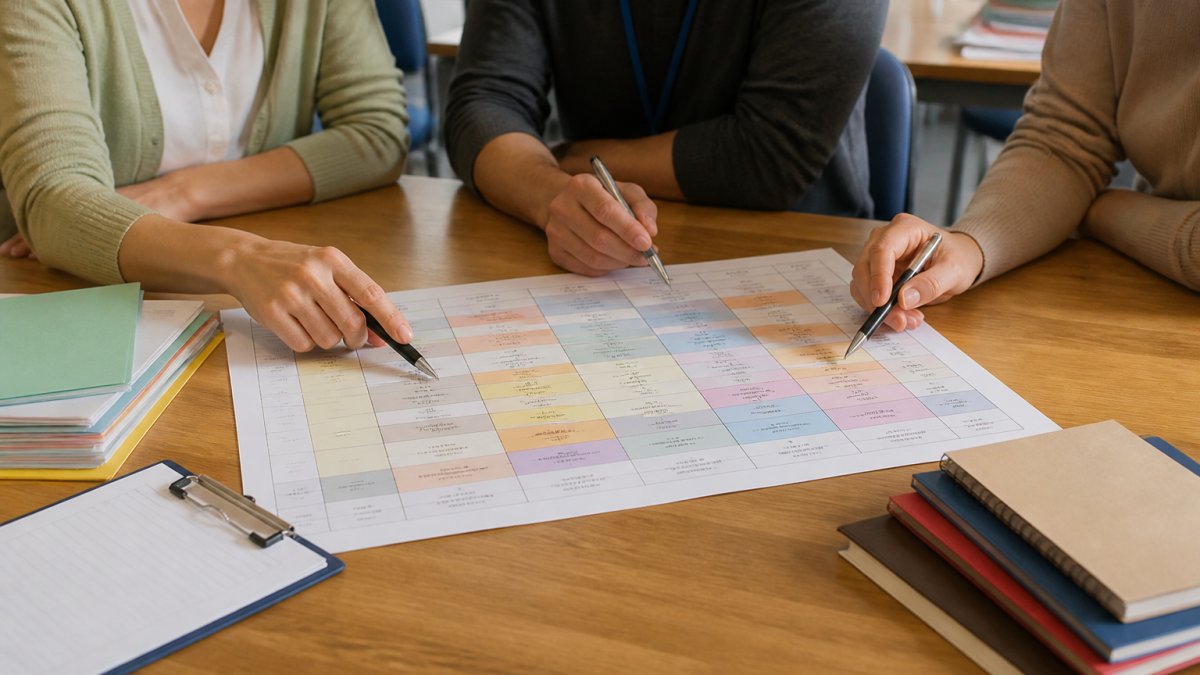
Some schools use a colour-coded template where each colour represents a subject or teacher. Others use numeric codes. The format matters less than clarity.
Consider whether you want:
- A single master grid showing all classes
- Separate grids for each year level or house
- Individual teacher timetables printed separately
- A visual format (colour-coded) or text-based format
Decide on period length and lesson times
How long is each teaching period? This is a fundamental choice that affects everything downstream.
Common period lengths in Australian schools:
- 40 minutes (suits fast-paced, focused lessons)
- 50 minutes (standard secondary period)
- 60 minutes (allows deeper engagement, suits practical subjects)
- 90 minutes (block scheduling, common in some secondary models)
Shorter periods mean more transitions, more setup and pack-down time, and more timetable complexity. Longer periods reduce transitions but can be harder for younger students to sustain.
Your school day structure also matters. Some schools run:
- 5 periods per day
- 6 periods per day
- 4 extended periods (block timetable)
- Mixed periods (some short, some long)
Write down your chosen period length and number of periods per day. This becomes the skeleton of your entire timetable.
Allocate Subjects, Classes, and Teachers Across the Week
This is where design school timetables becomes active scheduling. You're now placing specific subjects, classes, and teachers into your time slots.

Distribute subjects evenly across the school week
Students benefit from a balanced weekly distribution.
A common principle is the "no same-subject-twice" rule: don't schedule the same class for the same subject on consecutive days.
For primary schools, spread literacy and numeracy across the week. Most schools schedule these in the morning when students are fresher.
For secondary schools, distribute subjects so no student has the same subject more than once per day (unless it's a double period).
Assign classes and teachers to time slots
Start with your non-negotiable constraints. Block out specialist teacher time first. If your science teacher teaches four classes, schedule those four classes at times that teacher is available.
Then layer in regular class teachers. Assign each class to a teacher and a time slot. Check immediately for conflicts.
Work systematically. Don't randomly assign. Use a constraint-first approach: satisfy the hardest constraints first, then fill in the rest.
Balance teacher workload and avoid back-to-back classes
Teachers need breaks. Back-to-back teaching periods without planning time leads to exhaustion and lower performance.
Aim for:
- At least one planning period per day for every teacher
- No more than 3 consecutive teaching periods without a break
- Specialist teachers clustered in one or two days where possible (reduces travel, allows focus)
- Equitable distribution of difficult classes across the week (not all on one teacher)
If a teacher has five classes spread across five different periods, they're moving between rooms constantly. Consider clustering their classes so they teach 2-3 periods in a row, then have a planning block.
Schedule Breaks, Lunch, and Non-Teaching Time
Breaks and lunch aren't afterthoughts. They're part of your school day structure that affects everything else.
Block out:
- Morning break (typically 15-20 minutes)
- Lunch period (typically 45-60 minutes)
- Afternoon break (if applicable)
- Staff meeting times (if built into the school day)
- Planning periods for teachers
These blocks are fixed. No classes run during these times. Once you've placed them, they constrain where everything else can go.
For lunch, decide whether all classes eat at once or in staggered seatings.
Protect planning time fiercely. Teachers need time to prepare lessons, mark work, and meet with colleagues.
Using School Timetable Software to Automate Scheduling
Manual timetabling is slow and error-prone. Timetable software automates the grunt work. You define your constraints, and the software finds solutions that satisfy them.
Good timetable software lets you:
- Enter all your constraints (staff availability, room capacity, specialist requirements)
- Specify hard rules (this teacher cannot teach at this time)
- Set soft preferences (prefer not to schedule this class then)
- Generate multiple solutions automatically
- Check for clashes instantly
The software doesn't replace your judgment. You still decide what constraints matter most. But it handles the complexity that makes manual scheduling impractical for anything beyond a tiny school.
Many schools use generic scheduling tools. Some use education-specific software designed for timetabling.
Implement AI School Timetable Generators for Complex Constraints
Artificial intelligence is changing how schools approach timetabling. AI school timetable generators can handle complexity that traditional software struggles with.
AI tools learn from your constraints and generate solutions that optimise for multiple competing goals simultaneously.
These tools are particularly useful for large schools with hundreds of classes and dozens of staff.
However, AI isn't magic. It works best when you've clearly defined what "best" means.
Test, Validate, and Refine Your Effective School Timetabling Design
A timetable that looks good on paper might fail in practice. Testing catches problems before they affect students and staff.
Check for clashes and conflicts in your schedule
Run a clash report. This identifies:
- Classes scheduled in the same room at the same time
- Teachers scheduled to teach two classes simultaneously
- Staff scheduled outside their available hours
- Specialist resources over-booked
Most clashes are obvious. But some are subtle. A teacher might be scheduled to supervise lunch and teach a class at the same time. A room might be double-booked because you didn't realise the lab is shared with another department.
Fix clashes systematically. Start with hard constraints (things that must be resolved). Then address soft conflicts (things that create stress but aren't impossible).
Measure timetable quality and balance
Beyond clashes, measure how well your timetable serves your school's goals.
Quality indicators include:
- Average teaching load per teacher (should be roughly equal)
- Number of teachers with back-to-back periods (should be minimised)
- Distribution of specialist subjects across the week (should be even)
- Gaps between planning periods (should be reasonable)
- Clustering of related subjects (if that's a goal)
If one teacher has six classes while another has four, that's unfair. If all the difficult classes are scheduled on Monday, that's poor design. If students have three maths lessons on Tuesday and none on Friday, that's imbalanced.
Measure these things. Use the data to refine your timetable before you implement it.
Plan contingencies for staff absences and disruptions
Your timetable works perfectly until someone gets sick. Then you need a backup plan.
Build flexibility into your design:
- Avoid having only one teacher able to teach a critical subject
- Plan for relief teaching or peer coverage
- Identify which classes can be combined if needed
- Create a substitute teacher protocol (which classes are easiest to cover?)
- Schedule buffer time so disruptions don't cascade
Document your contingency plan. When a teacher is absent unexpectedly, staff should know immediately how to adapt without chaos.
Communicate and Rollout Your School Timetable
A perfect timetable fails if staff don't understand it or don't buy in.
Share your timetable early.
Print copies. Post it visibly. Create a digital version staff can access.
At AAA Executive Leadership Services, we work with school leaders to design timetables that actually work.
The first week of term is the real test. Be ready to make small adjustments.
Designing an effective school timetable requires balancing dozens of competing demands: staff availability, room capacity, student wellbeing, subject distribution, and specialist requirements. AAA Executive Leadership Services brings expert timetabling design combined with leadership coaching to help your school create a timetable that works for students, staff, and operations.
Frequently Asked Questions
What information do you need before designing a school timetable?
Before you design a school timetable, gather: the total number of classes and year groups; staff availability and full-time versus part-time allocations; the number of classrooms and specialist rooms; your school hours and operating days; period length preferences; subject requirements per year group; and any fixed constraints (specialist teacher availability, shared facilities, split classes). Document all scheduling preferences and non-negotiable conflicts upfront to avoid rework later.
How do you avoid clashes when designing a school timetable?
Identify clashes by checking: whether a teacher is assigned to two classes at the same time; whether a room is double-booked; whether a class has two subjects scheduled simultaneously; and whether part-time staff are assigned beyond their available hours. Use school timetable software to flag conflicts automatically, or manually cross-reference your template against staff and room allocations. Test your draft schedule thoroughly before rollout and build in buffer time for substitutes.
Can AI school timetable generators really design a complete schedule?
AI school timetable generators can automate constraint checking and suggest optimal allocations, but they work best when you provide clear inputs: hard constraints (non-negotiable rules), soft constraints (preferences), and complete staff and resource data. AI tools excel at eliminating conflicts and balancing workloads, but human review is essential to ensure the output reflects your school's unique needs, equity considerations, and student wellbeing priorities. Use AI to accelerate the process, not to replace decision-making.
How do you balance teacher workload when creating a school timetable?
Distribute teaching periods evenly across staff to avoid excessive back-to-back classes, which cause fatigue and reduce teaching quality. Allocate non-teaching time for planning, marking, and professional development. Monitor full-time and part-time staff separately; part-time staff should not exceed their contracted hours. Track supervision duties, duty rosters, and specialist commitments. Use your timetable software to calculate total teaching load per teacher and adjust allocations to ensure fairness and sustainability across the school week.